Integrations
Ready-to-use tools to protect sensitive data — from the browser to your logging pipeline.
Zero code, zero exposed prompts
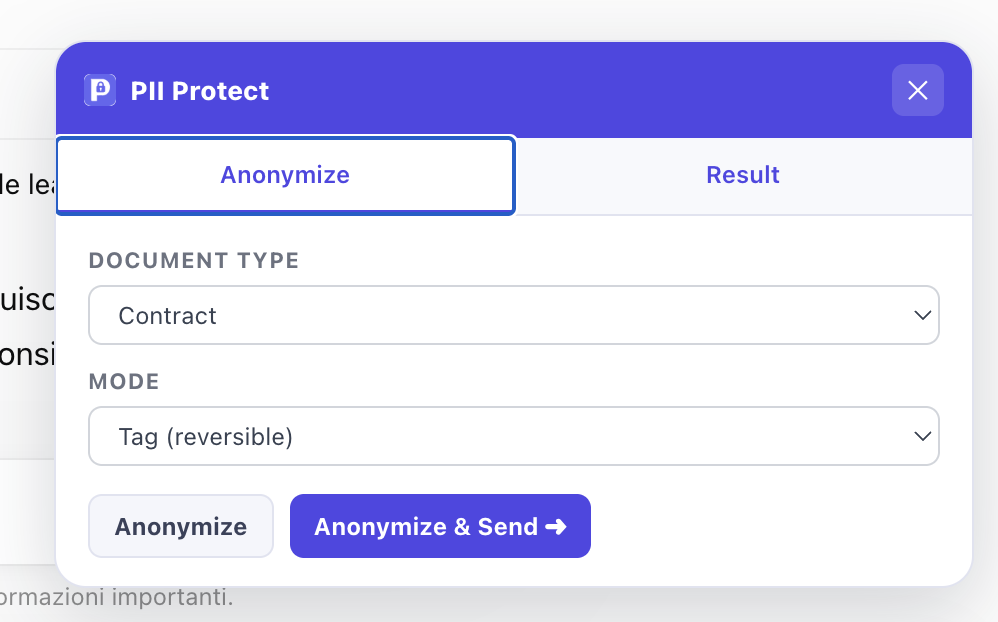
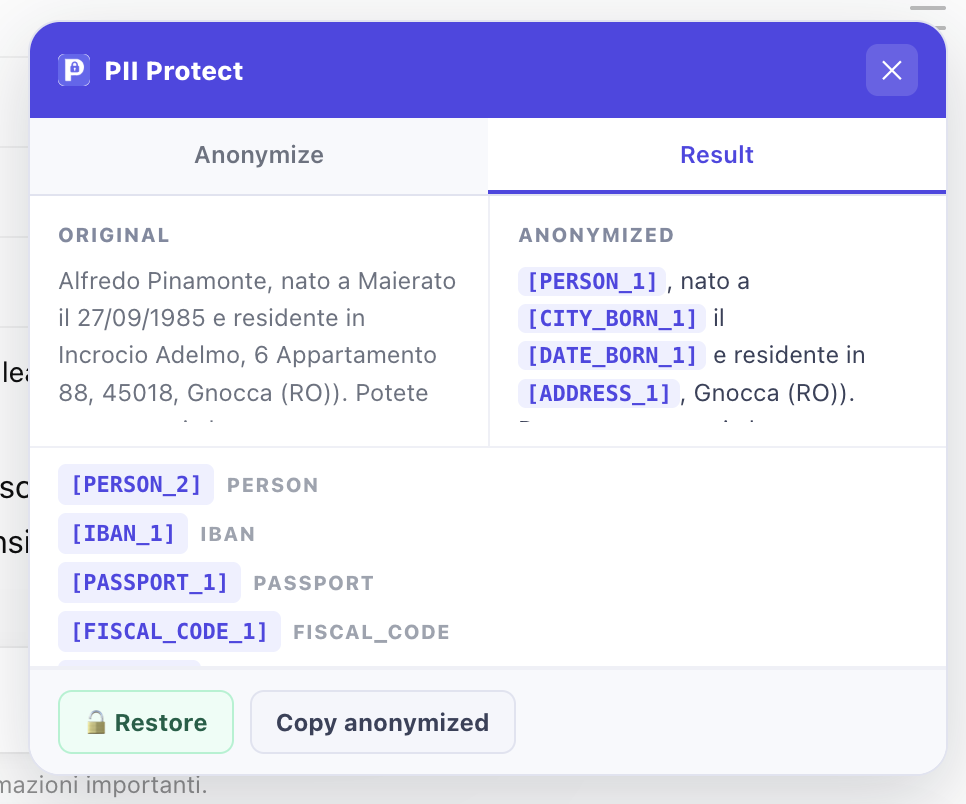
The Chrome / Firefox extension injects a toolbar directly into ChatGPT, Claude.ai and Gemini. Write your prompt, hit Anonymize — the text leaves the browser already protected. A second click on Restore brings back the original.
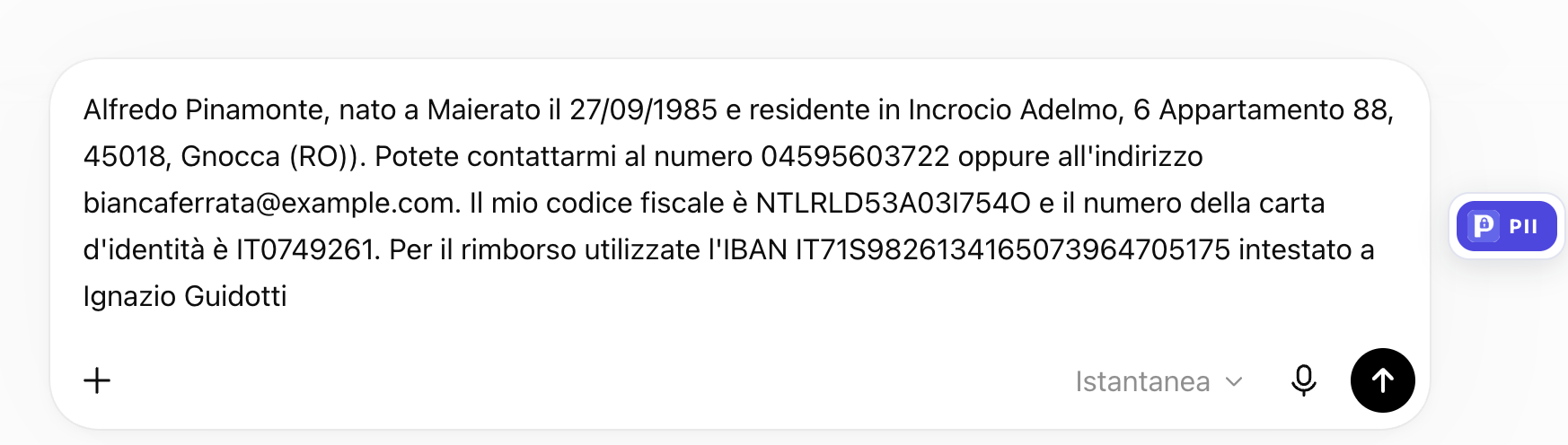
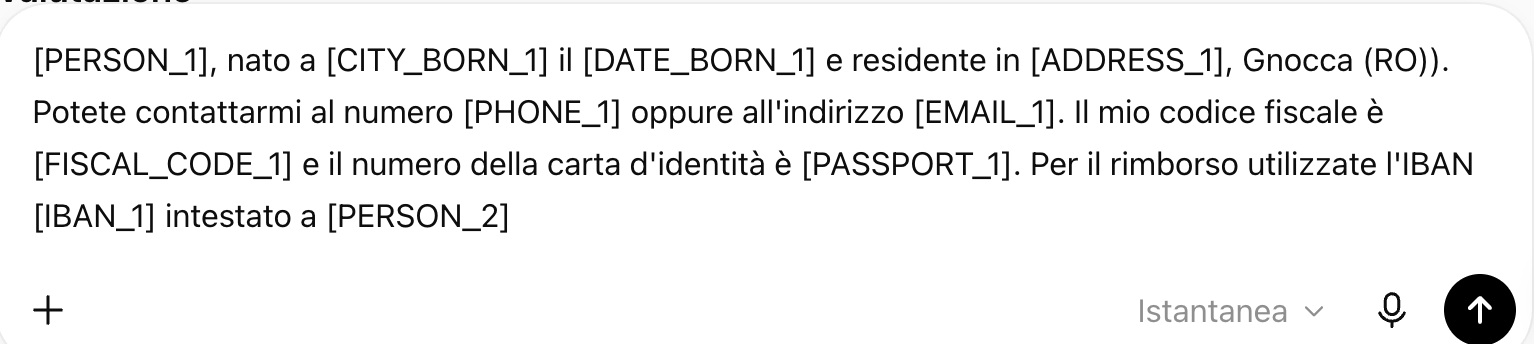
How it works
What it does
- ✓ Toolbar injected into the page — no separate app to open
- ✓ Tag mode (reversible) and Surrogate mode (realistic fakes)
- ✓ Built-in connection test in the popup
- ✓ Language and context_type configurable per session
- ✓ Automatic restore within the same browser session
Safe logs, zero PII
The Monolog handler intercepts every log record before it is written and automatically anonymizes emails, IP addresses, names and tax codes. Your logging stack never sees real data.
composer require pii-protect/monolog-handler
Features
- ✓ Configurable failure policy: fail-closed to block or fail-open to keep the workflow running
- ✓ skipKeys to exclude specific fields (password, token, _token)
- ✓ Batch: message + context + extra in a single API call
- ✓ Compatible with Laravel (tap), Symfony and plain PHP
Protected chat, editor and MCP inside VS Code
Use @pseudora to anonymize a prompt before it reaches the selected model. Configure account, team, document type, and mode from one workspace menu.
Available commands
- ✓ Detect PII in File — scan and highlight the active file
- ✓ Anonymize Selection — replace selected text with tokens
- ✓ Anonymize Entire File — anonymize all file content
- ✓ Clear Highlights — remove all PII decorations from the file
- ✓ OAuth login — no API key copied into configuration files
- ✓ One workspace menu — account, team, document type, and mode
- ✓ @pseudora Protected Chat — anonymizes before invoking the model
- ✓ Protected streaming or restored response, configurable per workspace
- ✓ Temporary pause — disables editor commands, automatic scans, and MCP
- ✓ Independent MCP switch — disable agent tools while editor protection stays active
- ✓ Integrated MCP — protect data handled inside Agent workflows
Automatic setup
Sanitize requests and responses automatically
The service provider registers two middleware that intercept every HTTP call: pii.sanitize anonymizes incoming fields before they reach the controller; pii.sanitize.response masks outgoing data in JSON responses.
Features
- ✓ Service Provider auto-discovery — no manual registration needed
- ✓ Request middleware: anonymizes JSON and form data before the controller
- ✓ Response middleware: masks outgoing data in JSON API responses
- ✓ Configurable skipFields to protect passwords and tokens
- ✓ Configurable failure policy: choose workflow continuity or fail-closed protection
- ✓ Combinable with pii-monolog to also cover log records
Dispatch driver
sync
default
Default. Anonymizes inline: the client receives already-masked data. Adds latency proportional to engine response time.
after_responseResponse sent immediately with original data. After sending, the engine anonymizes the body and fires the ResponseBodyAnonymized event. Ideal for internal APIs and audit trails.
queueSame as after_response but executed by a queue worker. Supports automatic retries. Requires php artisan queue:work to be running.
Install pii-protect/monolog-handler in the same app to automatically anonymize Monolog records as well.
Protect data inside agent workflows
A Model Context Protocol server exposing Pseudora as native tools in Claude Desktop, Cursor and other clients. Tools protect data handled during a workflow, but cannot intercept a prompt already received by the host model.
VS Code: automatic setup
The extension provides @pseudora protected chat and automatically registers MCP tools for Agent workflows. It uses the workspace account, team, document type, and mode without an API key or mcp.json entry.
Other MCP clients: manual setup
Tools exposed
- ✓ anonymize_text — anonymize and return the context_id
- ✓ deanonymize_text — restore the originals from a context_id
- ✓ list_pii_types — list every detectable entity
- ✓ list_document_types — list the policies available to the team
- ✓ Quotas, ACLs and configuration remain enforced by Pseudora Cloud
Generate a team key from Cloud → Customer keys. There is no local server to install or maintain. /cloud/customer-keys →